

From Vibe Coder to Shipping Real Apps
What 160 Hours in Cursor Actually Taught Me

I was in a Slack channel with my colleague from 100 School when the message came through: “We’re on 7,500 waitlist sign-ups today.”
Seven thousand five hundred users. Seven. Thousand. Five. Hundred.
I stared at my screen, equal parts excited and terrified, when it hit me: I had no idea how half of this app actually worked.
Not in a “I’m being humble” way. In a very literal “if this breaks right now, I might cry” way.
Six weeks earlier, I’d been teaching prototyping to students using tools like Lovable and Bolt, showing people how to build functional app prototypes without writing code. I was the AI educator who explained how these tools worked, but I wasn’t technically coding anything myself. I’d spent years as a Product Manager writing PRDs and managing dev teams, but the actual code was someone else’s job.
Then I discovered Cursor and thought: “Oh, I can just… build this myself?”
Turns out, you can. But “can build” and “should ship to thousands of users” are very different things. And the gap between those two things? That’s where I spent 160 hours over 30 days learning some very expensive lessons.
This is my honest story of going from “vibe coding” to actually shipping a Next.js app that real humans use. The mistakes I made. The turning points that saved me. And the stuff I wish someone had told me before I started.
If you’re sitting on an idea and wondering if you can build it yourself with AI tools, this is for you.
The Vibe Coding Phase
If you’ve never heard of vibe coding, here’s what it actually means. You open an AI platform like Lovable. You describe what you want. The AI generates code. It works. You get a dopamine hit.
Then you do it again. And again. And again. You’re building features at lightning speed. The app is growing. Things are happening on screen. You’re basically a developer now, right?
Wrong.
Here’s what I was actually doing. I’d ask Lovable to add a user authentication system and it would spit out 400 lines of code across six files. I’d scan it, think “yeah, that looks like code,” and move on to the next feature.
Did I understand how the auth flow worked? Nope.
Did I know which files talked to which? Not a clue.
Did I test edge cases? Lol, what are edge cases?
But hey, the login button worked when I clicked it, so I shipped it.
The moment it all fell apart was when I asked Lovable to add a share to the social media feature. It generated the code. The feature worked beautifully.
And then I realized my entire navigation menu had disappeared.
Then the user profile page started throwing errors.
Then the database queries started timing out for no apparent reason.
I had broken three completely unrelated features by adding one new one and I had absolutely no idea why.
That’s when the vibe officially ended.
The Turning Point
The navigation menu incident was my wake-up call. I couldn’t keep building like this. Not if I actually wanted to launch something that wouldn’t explode the moment 7,500 real users touched it.
So I made a decision: I was going to become a self-taught developer. Not a “real” developer, I didn’t have time for a CS degree or a software development bootcamp. But someone who understood their own app well enough to ship it, debug it, and not panic when things broke.
I started reading the code AI generated (actually reading it).
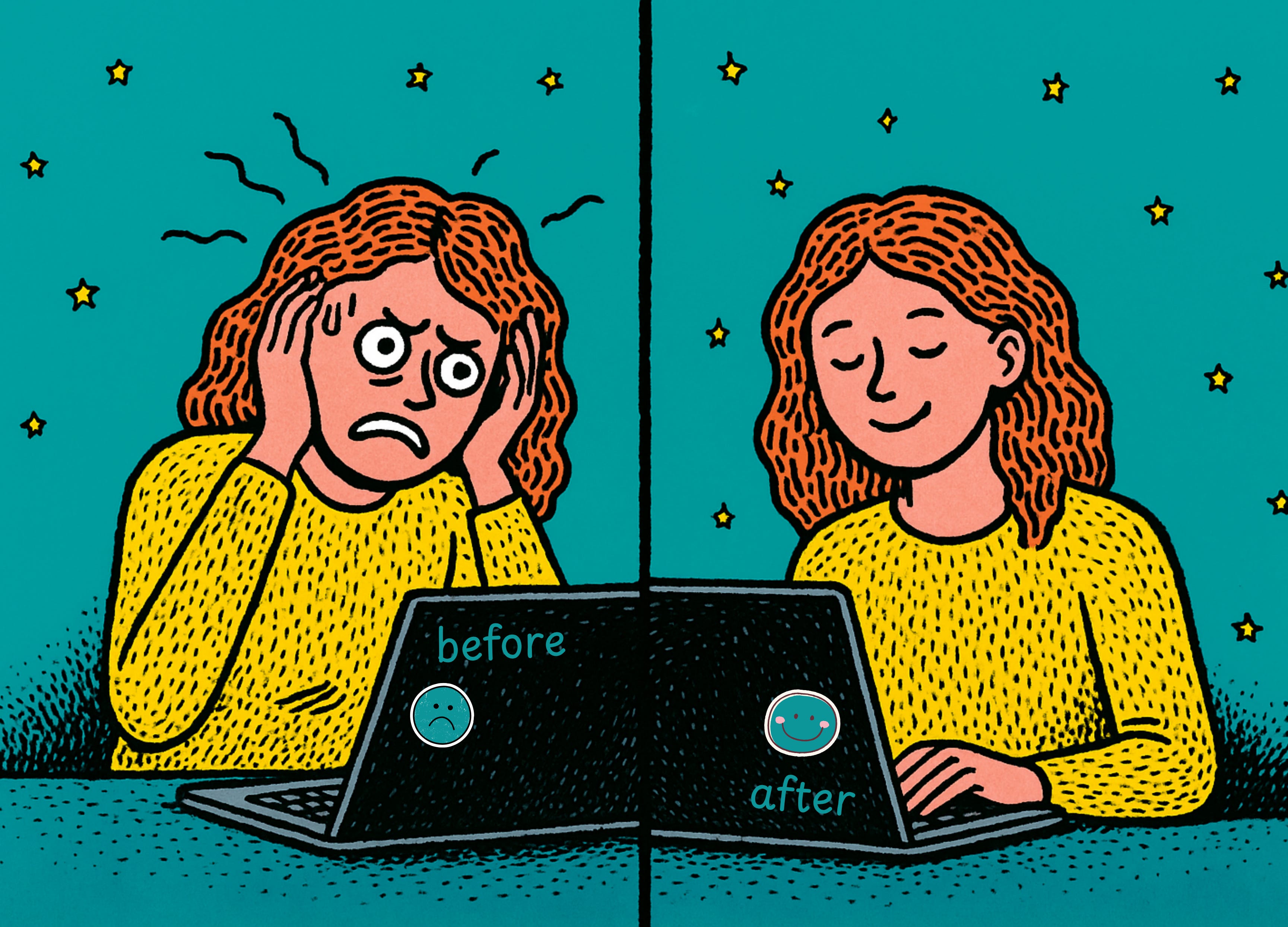
Before
I blindly accepted the code from an AI builder AI agent
After
Cursor gives me code, I read it line by line, and I ask Cursor to explain the parts I don’t understand. Then and only then, I’d confirm and accept it.
When you’re excited and moving fast, it’s so tempting just to trust that the AI knows what it’s doing. Sometimes it does. Sometimes it generates code that technically works but creates a nightmare later. I stopped asking “can you build this?” and started asking “why did you build it this way?” This was the unlock.
Cursor became my teacher and mentor. I learned to recognize patterns (even without memorizing syntax). I’m never going to remember every React hook or TypeScript type definition. That’s fine. But I did start to recognize things like where I fetch data from the API and which files control routing.
I started building a mental map of my app. Not perfect knowledge, but enough to know where to look when something breaks.
In the era of AI, you don’t need to know everything about Next.js, React, TypeScript, and web development, but you need to understand the architecture of your app.
Where does data come from?
How does it flow through the app?
Which files are critical?
Which ones can you ignore for now?
What happens when a user clicks that button?
The Costly Mistakes I Made
Here are the mistakes that cost me the most time and what I learned from each one. Hopefully, I can save you some pain.
Mistake 1: Treating AI Like a Magic Wand
I assumed that if AI-generated code, it was automatically the “right” solution. I didn’t question decisions and I didn’t review for quality. I just trusted the vibe.
Then reality kicked in. My codebase became a Frankenstein monster. Five different ways to fetch data. Three different state management patterns. API routes that did basically the same thing but were written completely differently because I’d asked AI to build them on different days with different prompts.
I spent an entire week refactoring code I could’ve written properly the first time if I’d just… looked at it critically.
The fix
Prompt with context. Review with intention.
Now, when I ask Cursor to build something, I include: “Here’s how we’re currently handling data fetching in this app. Use the same pattern.” Or: “We’re using React Query for API calls. Make sure this follows that standard.”
AI is amazing at pattern matching. If you show it the pattern, it’ll follow it. But if you don’t, it’ll just invent a new one every time.
Mistake 2: Not Learning the Basics
I skipped over fundamentals because “AI can handle it.” I didn’t bother learning how data flows. I didn’t understand the difference between client-side and server-side rendering. I didn’t know what state actually meant.
It came back to bite me when I added a feature where users could like posts. It worked. Then I realized every time someone liked a post, the entire page re-rendered. All the data refetched. The app became unusably slow with more than 10 posts on screen.
Because I didn’t understand how React state worked, I was updating global state when I should’ve been updating local state. The fix took 10 minutes once I understood the problem. But finding the problem took 2 hours because I didn’t know what I was looking for.
The Fix
Learn just enough to be dangerous. You don’t need to master a programming language. But you do need to understand:
How data flows through your app (props, state, context).
How files connect (imports, exports, modules).
What happens when a user interacts with your UI (events, handlers, updates).
The difference between frontend and backend (this seems obvious until it isn’t).
Mistake 3: Copy-Paste Development
I built features in isolation without thinking about how they’d interact with existing code. AI would generate a new component, I’d drop it in, and if it worked, I’d call it done.
This resulted in a cascade effect. Remember that social media sharing feature that killed my navigation menu? That was this mistake in action. Turns out, the sharing feature was using a library that conflicted with the routing library. This caused a state management conflict. Which broke the auth flow. Which resulted in the navigation menu just… disappearing.
I had no idea these things were even connected because I never asked, “What else does this touch?”
The fix
Before adding any new feature, I now ask Cursor: “How will this interact with our existing auth system? Will this affect routing? Are we adding new dependencies that might conflict with what we already have?”
It’s boring. It’s not sexy. But it’s the difference between 2 hours and 2 days because I broke everything.
Mistake 4: Ignoring the Boring Stuff
I focused entirely on features. Error handling… I’ll add that later. Input validation… Users will probably enter the right thing. Edge cases… That’ll never happen.
Spoiler: It all happened. When it’s just you testing, you use the app the “right” way. You entered valid emails. You don’t try to break things. You click buttons in the correct order.
Real users are chaos agents. They’ll enter “12345” as their email. They’ll click the submit button 47 times in a row. They’ll open your app on a 2014 Android phone with 2% battery and spotty WiFi. They’ll find every edge case you didn’t think of and then email you about it.
My app’s error rate in week one was a little embarrassing. Every other user action triggered an uncaught exception.
The Fix
Think like a user who actively wants to break your app. Now I ask Cursor to add error handling to everything. What if the API fails? What if they leave a field blank? What if they upload a 50MB image? What if their internet cuts out mid-action?
It can feel tedious. But not as tedious as fixing 27 bug reports because you skipped validation.
What Actually Got Me to Launch
Here’s what actually worked:
Incremental building: One feature, test, ship, repeat
Reading generated code as a learning tool
Using TypeScript + linters as safety nets
Testing in production-like conditions early
Version control (so you can break things safely)
My mindset shift
That last one was the big one for me. I stopped thinking I need to know everything before I can ship and started realizing that I need to understand my app well enough to fix it when it breaks. Because it will break. Apps always break.
I’m not a traditional developer. If you put me in a technical interview at Google, I’d be gently escorted out of the building. And that’s completely fine. Because here’s what I can do:
Ship functional apps that real people use
Debug most issues without panic
Understand how my app’s architecture works
Read error logs and figure out what broke
Add new features without destroying old ones
Communicate clearly with AI to get the code I need
Make informed technical decisions
Is this good enough for every situation? No. If I were building life-critical medical software or a high-frequency banking platform, I’d need professionals. But for launching a product, serving users, iterating based on feedback, and building a business, it’s absolutely enough.
You don’t need to impress senior engineers. You need to solve a problem for real humans. That’s the permission slip I wish someone had given me earlier. You don’t have to be perfect. You just have to be good enough to start.
If you have an idea, this is the path forward that I recommend:
Build something small with AI
Break it
Learn why it broke
Fix it (with AI’s help)
Repeat until you understand your app
Ship it
Learn from real users
Iterate
I decided to stop waiting for permission and start building. You can too.
Happy building!
The Prompt Driven Developer
Author Spotlight
We’re so grateful to
for allowing us to share her story here on Code Like A Girl. If you enjoyed this piece, we encourage you to visit her publication and subscribe to support her work!
Join Code Like a Girl on Substack
We publish 3 times a week, bringing you:
Technical deep-dives and tutorials from women and non-binary technologists
Personal stories of resilience, bias, breakthroughs, and growth in tech
Actionable insights on leadership, equity, and the future of work
Since 2016, Code Like a Girl has amplified over 1,100 writers and built a thriving global community of readers. What makes this space different is that you’re not just reading stories, you’re joining a community of women in tech who are navigating the same challenges, asking the same questions, and celebrating the same wins.
Subscribe for free to get our stories, or become a paid subscriber to directly support this work and help us continue amplifying the voices of women and non-binary folks in tech.
 | A guest post by
|
Love this. What’s wild is how many of us are discovering all this at the exact same moment, this unique point in history where you can literally learn by building. I’m also on Cursor, and reading you feels like comparing notes with someone on the same path.
A recent big shift for me was realizing how crucial a systematic testing setup is before every release, especially when you’re coding with AI and things can break sideways.
Curious: have you tried the new Agent Review Bot in Cursor yet? Would love to hear your take
Thank you for the sharing Ciara❤️ I went through a similar experience and because I’m a newbie building on my own (don’t have any friends or community members doing the same thing) thought it was just a “me” thing. Sharing the honest reality of the build and deployment and how to do things different was great insight. I’m in v3 of my app now- this time around started with actual documentation rather than a build. It’s boring and tedious and I have no idea (still!) on what I’m building and if it will help, but I don’t want to go through the mess of v1 and v2 Frankenstein again lol! Thanks again for sharing your voice, it was a great read and good luck with your app! ✨Nina x